

The short version
- Steam store pages now show the average frame rate real Steam Deck players get in a game, plus a frame rate chart, inside the Steam Deck compatibility section. Valve announced it on November 9.
- The data comes from Deck owners who opted in to sharing anonymous performance data. Valve says a majority have.
- It covers thousands of games across Verified, Playable and Unsupported ratings, with separate numbers for the OLED and LCD models.
- Desktop PC frame rate collection is now in the Steam Client Beta. The Deck isn't officially sold in India, where grey-import OLED units go for roughly ₹67,000 to ₹97,000.
What you'll see
On a game's store page, open the Steam Deck Compatibility section and click Learn more. You'll find:
- Average frame rate from players who've opted in.
- A Framerate Distribution chart, behind a small arrow, showing what share of play time was spent at each frame rate.
- Separate figures for the Steam Deck OLED and Steam Deck LCD.
A game needs enough data before anything appears, so smaller games may show nothing yet. Valve hasn't said what the minimum is. The same numbers show in your Steam Library if you're on the Steam Client Beta.
Where the numbers come from
Valve collects the data anonymously from Deck owners who said yes to a prompt in their library. You can change your choice under Settings > Account > Data & Browsing > Anonymous Game Framerate Data.
There are some limits worth knowing:
- Only sessions at the Deck's default frame limit count: 90fps on OLED and 60fps on LCD. If you set your own cap, that session is left out.
- Your graphics settings aren't taken into account. Valve says the results still cluster in fairly narrow ranges.
- Reporting from the earlier developer version noted that the data doesn't separate loading screens from gameplay.
Why some charts have two peaks
Valve explains one quirk itself. The OLED's screen runs at 90Hz with VSync. If a game can't hold 90fps, it snaps down to 45fps, so its chart can show two peaks, at 90 and 45, with an average somewhere in between. That doesn't mean two groups of players had different experiences. It's one game bouncing between two steady rates.
That's why the average on its own can mislead, and why Valve added the chart.
How we got here
| Date | What happened |
|---|---|
| February 2026 | SteamOS update adds opt-in sharing of anonymous performance data |
| April 2026 | Steam Client Beta starts gathering frame rate data; developers of Verified games get 30-day average frame rates and player survey results |
| October 1, 2026 | Developers of Verified games get full frame rate distribution charts |
| November 9, 2026 | Data goes public on store pages, now including Playable and Unsupported games |
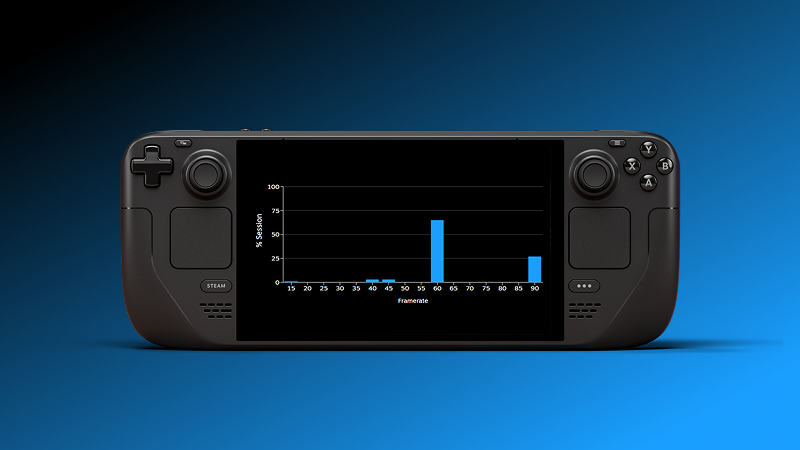
Image: Valve
Valve's April post said players overwhelmingly agreed with the Verified rating, over 95% of the time. But Valve also admits the Verified badge may not meet every player's idea of acceptable performance. The frame rate data fills that gap: a "Verified" game that runs well below its frame limit now shows it in the numbers.
Desktop PCs are next
The desktop Steam client is now asking players to opt in to the same anonymous frame rate data, though only in the Steam Client Beta for now. Valve calls the Deck data "a stepping stone" toward frame rate data for more devices, and says the desktop prompt will reach everyone later.
How that would work across thousands of different PC setups is the obvious question, and Valve hasn't said. Some outlets have guessed that Valve's own Steam Machine would be the next device to get numbers, but Valve hasn't announced that.

Image: Valve
What it means if you play in India
Valve doesn't sell the Steam Deck in India, so there's no Indian warranty or service. After Valve raised the OLED's US price in May, to $789 for 512GB and $949 for 1TB, Indian grey-market prices spread out widely. New 512GB OLED units have been listed from about ₹67,000 to ₹75,000 with some importers, around ₹71,240 on Flipkart, and up to ₹96,999 at others.
At those prices, checking how a game actually runs before buying it is useful. The data is the same whichever country you're in, because it comes from the Deck itself.
What to watch
Watch for the desktop rollout to leave beta, and for whether Valve starts showing performance for specific PC hardware. If you want to understand the charts better, the key numbers to look at alongside the average are the lows, the rare slow frames that you feel as stutter.