


The short version
- AMD has confirmed a bug in its Radeon Adrenalin driver where a background service, the AMD External Events Utility, keeps writing to your system drive even when the PC is doing nothing.
- Most reports put it at 0.3 to 1.5MB/s, with one worst case around 5MB/s. That's anywhere from about 26GB to 432GB a day if the PC never sleeps.
- AMD says the fix is aimed at the next driver, Adrenalin 26.11.1, expected later in November. It isn't out yet.
- You can check your own PC in two minutes with Windows' Resource Monitor. If you're affected, stopping one Windows service is the simplest workaround.
What's going on
The culprit is a process called atieclxx.exe, the AMD External Events Client Module. It belongs to the AMD External Events Utility, a service that installs with every Adrenalin driver and handles things like detecting when you plug in a monitor, Radeon hotkeys and parts of FreeSync.
On affected PCs, it writes to the boot drive constantly, even at idle. Nobody has published exactly what it's writing.
Reports go back to at least July on AMD's own forum. It became news on November 8, when a Reddit post about it went viral and outlets including Tom's Hardware, Wccftech and Notebookcheck picked it up.
What AMD has said
On AMD's community forum, in the thread for the 26.10.1 driver, AMD's community representative AMD_Matt replied on October 21 that AMD was looking into it "with the aim to resolve it in a future driver release".
Another AMD representative, AMD_Vik, went further on Reddit, according to several outlets that saw the post. He reportedly said the bug comes from an interaction between the External Events Utility and Microsoft's PCIe filter driver, that a fix just missed the cutoff for 26.10.2, and that it's due in 26.11.1. He also reportedly said turning off Resizable BAR works around it.
The 26.10.2 release notes, published October 30, don't mention the bug at all.
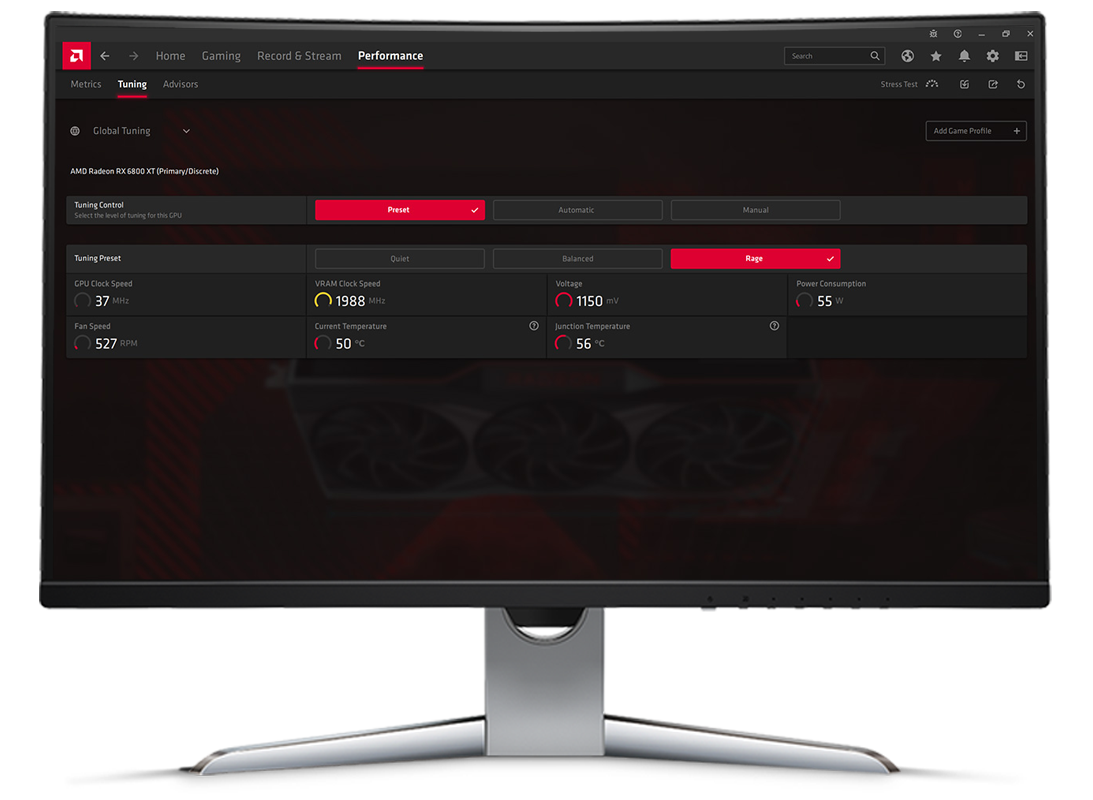
Image: AMD
Who's affected
| What's known | |
|---|---|
| Driver versions named in reports | 26.5.2, 26.6.4, 26.9.2, 26.10.1, 26.10.2 |
| Cards named in reports | RX 7800 XT, RX 7900 XTX, RX 9060 XT, RX 9070 XT |
| Operating system | Windows 10 and 11 |
| Current drivers | 26.10.1 (recommended, Oct 20), 26.10.2 (optional, Oct 30) |
| Fix | Targeted for 26.11.1, not yet released |
Not every Radeon PC shows the problem. Some users on the same drivers see nothing unusual. AMD hasn't published a list of affected GPUs.
Every report so far involves a desktop graphics card. Nothing has been reported on laptops or Ryzen chips with built-in Radeon graphics, but the same service ships with those drivers, so it's worth checking rather than assuming.
How to check your PC
- Close games, browsers, Steam downloads and OneDrive, and let the PC sit idle for five minutes.
- Press Win+R, type resmon and press Enter.
- Open the Disk tab and sort "Processes with Disk Activity" by Write (B/sec).
- If
atieclxx.exeoratiesrxx.exesits near the top with steady writes, you're likely affected. Divide the number by about a million to get MB/s.
For a longer view, open CrystalDiskInfo or your SSD maker's tool, such as Samsung Magician or WD Dashboard. Note the Total Host Writes figure, check again after a day, and the difference is how much was written.
How much damage are we talking about?
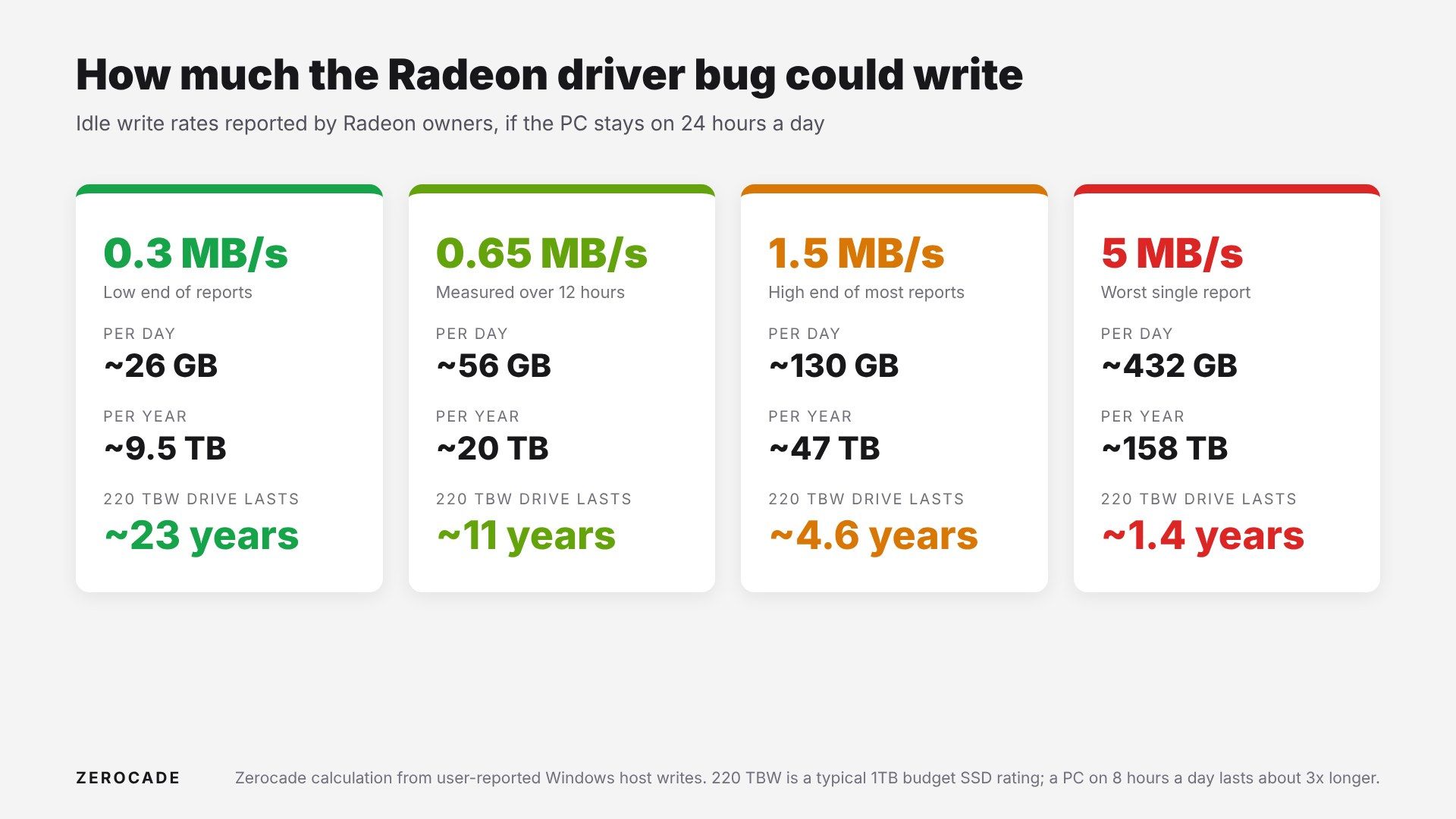
Image: Zerocade
Every SSD has an endurance rating in TBW, terabytes written. Our SSD TBW explainer covers how that works. A typical 1TB TLC drive is rated around 600TBW. A cheap QLC or DRAM-less drive, common in budget builds, may be rated far lower.
At the typical 0.3 to 1.5MB/s, a 600TBW drive loses roughly 2-8% of its rated life a year, and that's only if the PC is on around the clock. That's a nuisance, not a disaster.
The worst case is different. At 5MB/s, a budget drive rated around 220TBW, like a 1TB Crucial P3, would hit its rating in about a year and a half of nonstop use. A PC that's on eight hours a day takes roughly three times as long.
Two caveats: these are writes Windows reports, not measured wear on the flash chips, and nobody has run a controlled test yet. The widely shared claim that one user lost 1% of SSD health a month for 16 months comes from a single Reddit post and hasn't been verified.
The workarounds, and what each costs
1. Stop the AMD External Events Utility service. This is the simplest one and the most widely reported to work.
- Press Win+R, type services.msc, find AMD External Events Utility, and click Stop.
- To keep it off after a restart, set Startup type to Manual or Disabled.
- The cost: Radeon hotkeys and some display features, like detecting a newly plugged-in monitor, may stop working. Reports differ on whether FreeSync is affected. Turn the service back on once 26.11.1 is installed.
2. Turn off Resizable BAR in your BIOS. AMD's representative reportedly suggested this. It costs some gaming performance, though, and it's a BIOS change many people won't want to make. Not everyone found it works.
3. Roll back to an older driver. Some users say 25.12.1 doesn't have the problem. You'd lose newer game fixes and features, and that's based on user reports only.
4. Do nothing and wait. If your rate is low and your drive is a decent TLC model, the extra wear between now and 26.11.1 is small.
Image: AMD
Why it matters
Radeon cards have been gaining ground, with one tracker recently suggesting AMD outsold Nvidia in graphics cards on Amazon US as GeForce prices kept climbing. Most Radeon buyers in India pick mid-range cards like the RX 9060 XT and pair them with affordable SSDs, which are exactly the drives with the least endurance to spare.
What to watch
Watch for Adrenalin 26.11.1 later this month, and check its release notes for a fix to the disk writes before you turn the service back on. Until then, the Resource Monitor check takes two minutes, and it's worth doing.