
The short version
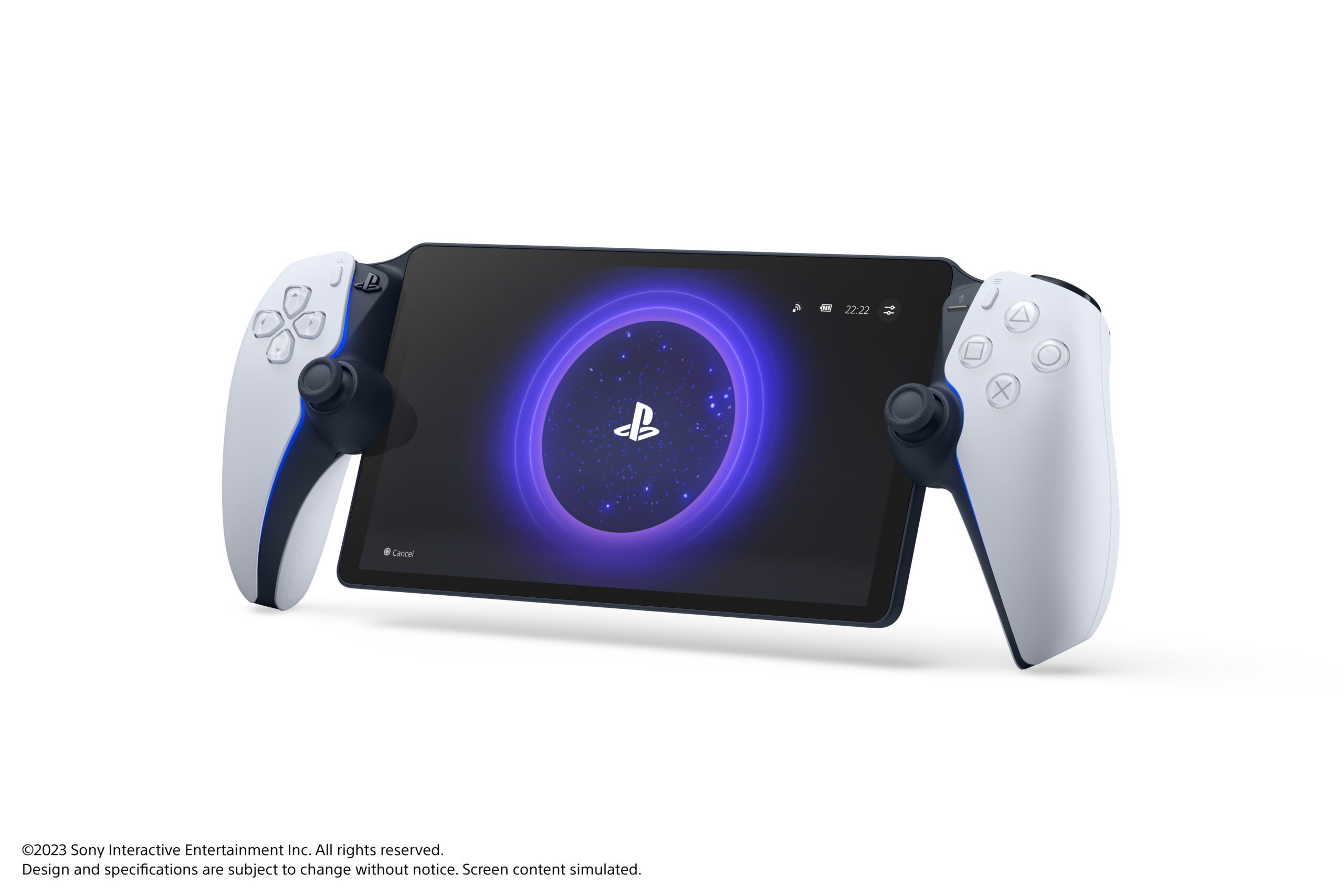
- The PlayStation Portal looks like a handheld console, but it doesn't run games. It plays a video stream of a game running somewhere else, and sends your button presses back.
- With Remote Play, that somewhere is your own PS5 at home. With cloud streaming, it's Sony's servers, so you don't need a PS5 at all.
- Sony asks for at least 5 Mbps, and recommends 15 Mbps, for Remote Play. Cloud needs 7 Mbps for 720p and 13 Mbps for 1080p.
- Cloud streaming needs PS Plus Premium, which isn't sold in India. Here, the Portal is a Remote Play device.
This came up again on November 9, when Sony Japan announced a new Portal model with added internal storage and dropped "Remote" from its name. So it's a good moment to explain what the Portal does today.
The Portal is a screen with a controller attached
Inside, the Portal runs a heavily modified version of Android on a mid-range Qualcomm Snapdragon 6-series chip, reported as either the 662 or the 680. That's phone-class hardware, nowhere near powerful enough to run a PS5 game.
It doesn't need to be. Its job is to:
- Receive compressed video and audio over Wi-Fi.
- Decode it and show it on its 8-inch 1080p screen at up to 60fps.
- Send every button press, stick movement and trigger pull back to wherever the game is running.
The DualSense-style haptics and adaptive triggers work too, because the game sends those signals down the same stream.

Image: Sony Interactive Entertainment
Remote Play vs cloud streaming
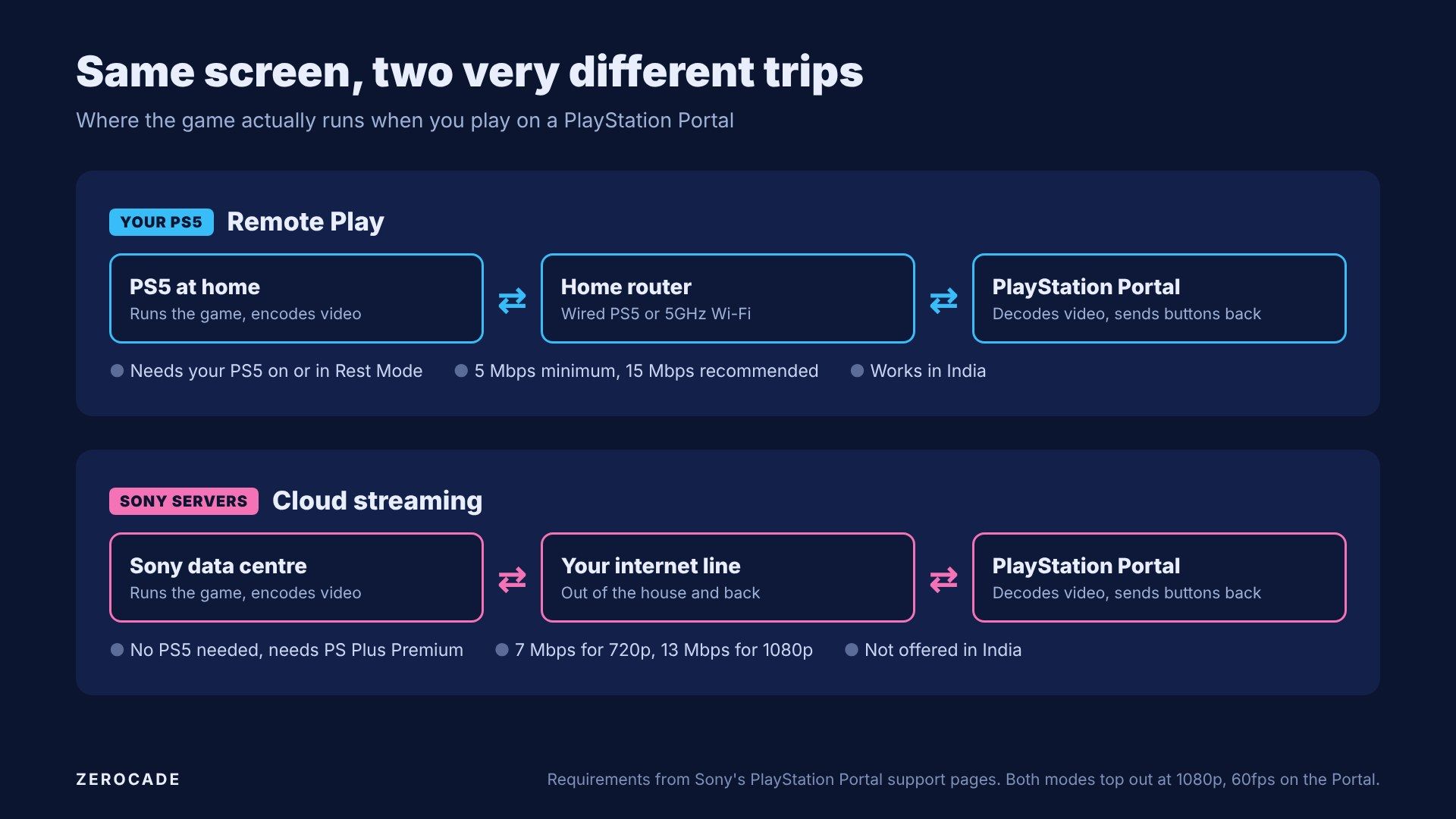
Image: Zerocade
| Remote Play | Cloud streaming | |
|---|---|---|
| Where the game runs | Your PS5 | Sony's servers |
| Need a PS5? | Yes, on or in Rest Mode | No |
| Subscription | None | PS Plus Premium |
| Games | PS5 and PS4 games installed on your console | PS5 games in the Game Catalogue and Classics, plus selected digital PS5 games you own |
| Minimum speed | 5 Mbps | 5 Mbps to start, 7 for 720p, 13 for 1080p |
| Works away from home? | Yes, but quality depends on both connections | Yes, on any decent connection |
| In India | Yes | No |
A few rules apply to both. PS VR2 games don't work, and neither do games that need extra accessories. Cloud streaming on the Portal doesn't cover PS4 or PS3 games either.
Where the lag comes from
Every time you press a button, it makes a round trip. Here's the chain, in plain terms:
- Your press travels from the Portal to the PS5 or server.
- The game reacts and renders the next frame.
- The frame is compressed into video, which takes a few milliseconds.
- The video travels back across your network.
- The Portal decodes it and puts it on screen.
Each step adds a little delay. Remote Play on a good home network keeps steps 1 and 4 short, because the signal never leaves your house. Cloud streaming sends it out to a data centre and back, so the distance and your internet line matter much more.
Wi-Fi adds a wrinkle too. A busy or weak signal causes jitter, which means frames arrive unevenly, and packet loss, which means some data never arrives. Either one shows up as stutter, blocky patches or a sudden drop in picture quality.
Why your Wi-Fi matters more than your plan
Here's the good news for India. Ookla's data put India's median fixed broadband speed at about 61 Mbps in March 2026. That's four times Sony's 15 Mbps recommendation.
For Remote Play, though, your internet plan barely matters at home, because the stream never leaves your house. What matters is the link between your PS5, your router and the Portal. Sony's own advice:
- Connect the PS5 to the router with a LAN cable if you can. That's its first recommendation.
- If both are on Wi-Fi, use the 5GHz band, and turn off band steering if your router has it.
- Keep the Portal and router reasonably close, with fewer walls in between.
Sony added a 1080p High Quality Mode in March 2026 that pushes a higher bitrate for a sharper picture. It needs an even steadier network, so try it only once the basics above are sorted.

Image: Sony Interactive Entertainment
Why there's no Portal cloud streaming in India
Sony offers Portal cloud streaming in about 30 countries, including the US, Canada, Japan, the UK and most of Europe. India isn't one of them.
The reason is simple: PS Plus Premium, the tier that includes cloud streaming, isn't sold here. India gets Essential, Extra and Deluxe, and Deluxe is the top tier. Since the May 2026 price rise, Deluxe costs ₹1,109 a month or ₹9,879 a year for new subscribers. Its extras include cloud saves, not game streaming. In the US, Premium costs $19.99 a month.
Other cloud services do work in India, if you're curious:
| Service | Where the game runs | India price |
|---|---|---|
| Xbox Cloud Gaming | Microsoft's servers | Included with Game Pass Ultimate, ₹1,389 a month |
| GeForce Now | Nvidia's servers, using games you own on PC stores | ₹999 a month (Performance), ₹1,999 (Ultimate) |
| Steam Remote Play | Your own gaming PC | Free |
Steam Remote Play works the same way as the Portal's Remote Play: your own hardware does the work, and another screen just shows it.
What to do with a Portal in India
Treat the Portal as a second screen for your PS5. Wire the console to the router, put the Portal on 5GHz, and you'll get the best picture your home network can manage.
Away from home, results depend on the Wi-Fi where you are and on your home upload speed, so a hotel or café connection can be hit or miss. Sony says public Wi-Fi works, but you'll need to set up the Portal on your home network first.