
The short version
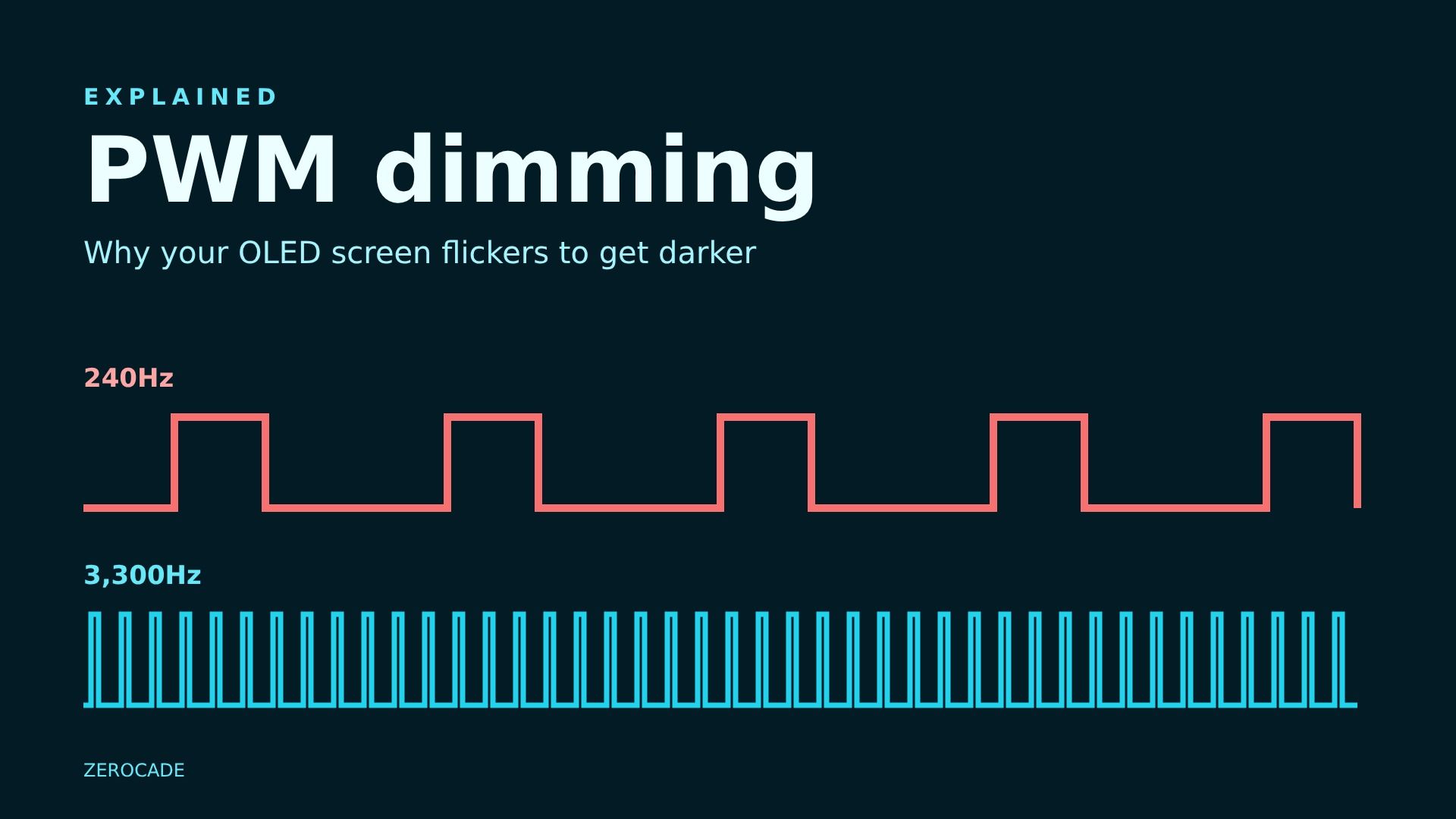
- PWM (pulse-width modulation) is how most OLED phone screens dim: they switch the light on and off very fast, and stay off for longer to look darker.
- The Hz number on a spec sheet is how many times a second that happens. The iQOO 16 lists 3,300Hz.
- Most people never notice it, but some get eye strain or headaches from low-frequency PWM, especially at low brightness in a dark room.
- Higher numbers are generally gentler. A lighting standard, IEEE 1789, treats flicker above about 3,000Hz as having no observable effect.
Why it's in the news
The iQOO 16, tipped for India in mid-December, lists 3,300Hz PWM dimming among its display specs. Phone makers have started putting this number in launch slides alongside brightness and refresh rate. Here's what it means.
How an OLED screen gets darker
On an OLED screen, every pixel makes its own light. To make the screen dimmer, there are two basic options:
- Lower the power going to each pixel, so it glows less brightly. This is called DC dimming.
- Keep the power the same, but switch the pixel off and on many times a second. The longer it spends off, the darker it looks. That's PWM.
Your eyes average out the flashes, so you see a steady, dimmer screen. If the light is on for half of each cycle, you see roughly half brightness. If it's on for a tenth of each cycle, you see a much darker screen.
Most phones use PWM because OLED pixels behave badly at very low power. With pure DC dimming at low brightness, colours can shift and dark greys can look blotchy. So many phones use DC dimming at higher brightness and switch to PWM as you turn the screen down. That's why the problem usually shows up at night, at low brightness.
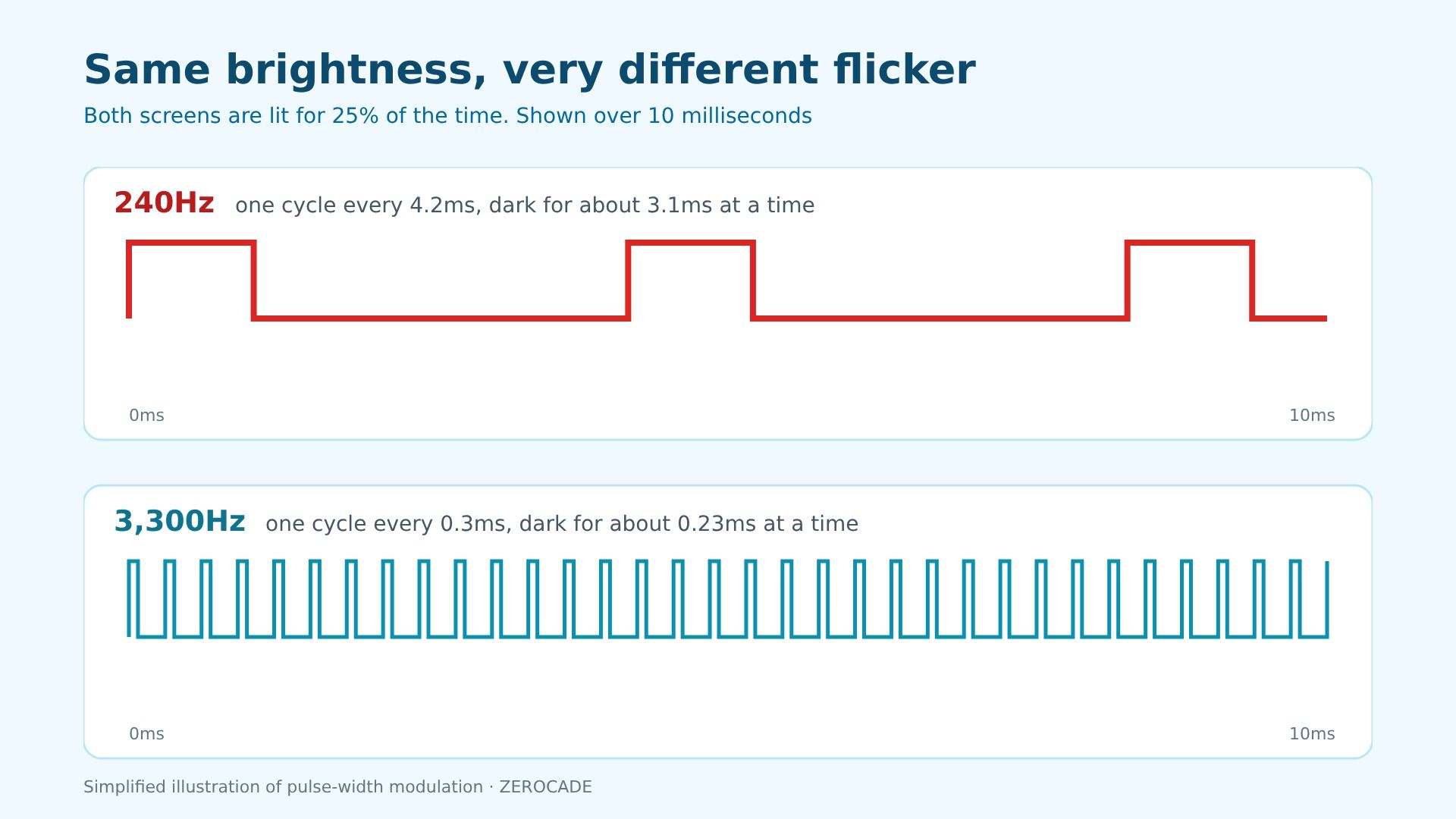
Image: Zerocade
What the Hz number tells you
The frequency is how many on-off cycles happen each second:
| PWM frequency | Length of one cycle | What it means |
|---|---|---|
| 240Hz | about 4.2 milliseconds | Long dark gaps. The level most likely to bother sensitive people |
| 480Hz | about 2.1 milliseconds | Better, still a common complaint level |
| 1,920Hz to 2,160Hz | about 0.5 milliseconds | Marketed as "high-frequency PWM" |
| 3,300Hz (iQOO 16) | about 0.3 milliseconds | Above the level IEEE 1789 treats as no observable effect |
The brightness is the same in each case. What changes is how long each dark gap lasts. At 240Hz, the screen goes dark for a few milliseconds at a time. At 3,300Hz, the gaps are so short that the eye and brain have much less chance to react to them.
One catch: a spec sheet often lists the highest frequency the screen can use. Some phones only run at that rate in certain brightness ranges or modes. Reviews that measure the screen with a light sensor, like Notebookcheck's, are the best way to check what actually happens.
Why some people get headaches
Most people can't see flicker above about 60 to 90Hz directly, which is why films and old monitors look steady. But some people are sensitive to faster flicker they can't consciously see. Reported symptoms include:
- eye strain and tired eyes
- headaches
- difficulty focusing, especially when reading
It varies a lot from person to person. Some people use 240Hz phones for years with no trouble. Others notice discomfort within minutes. If you've ever felt that a particular phone was harder on your eyes at night, PWM is one possible reason.
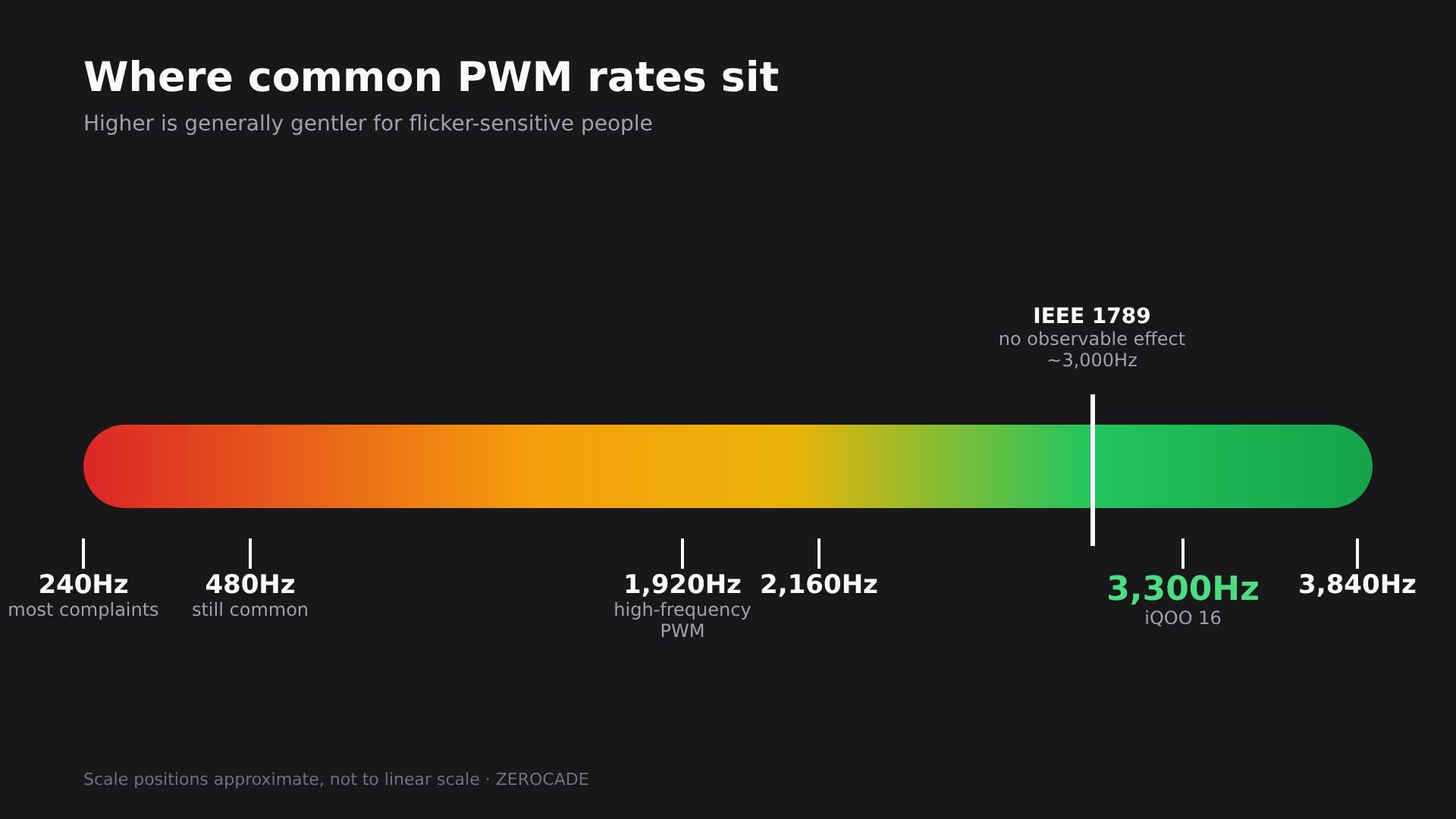
Image: Zerocade
What about LCD screens and gaming monitors?
LCD screens work differently. The pixels don't make light; a backlight behind them does. Many LCD phones, laptops and gaming monitors dim that backlight with DC dimming and are sold as flicker-free, though not all. That's one reason some people with PWM sensitivity prefer LCD.
On OLED gaming monitors and TVs, flicker behaves differently again, and our OLED vs Mini-LED explainer covers the trade-offs for laptops.
A quick test you can try
You can get a rough idea with a second phone:
- Turn your screen to low brightness and open a plain grey or white page.
- Point another phone's camera at it, ideally in slow-motion video mode.
- Look for dark bands rolling across the screen in the camera view.
Visible bands mean the screen is flickering at a rate the camera catches. It's not a measurement, but it's a quick way to compare two phones side by side.
What to look for when buying
- A high PWM number, ideally 2,000Hz or more, listed for low brightness.
- A "DC dimming" or "eye comfort" option in display settings, which some phones offer as a toggle.
- Measured reviews, which show whether the phone flickers at low brightness and how fast.
If dim screens bother you, the Hz figure is worth checking before you buy. For everyone else, it's one more spec that's nice to have.