
The short version
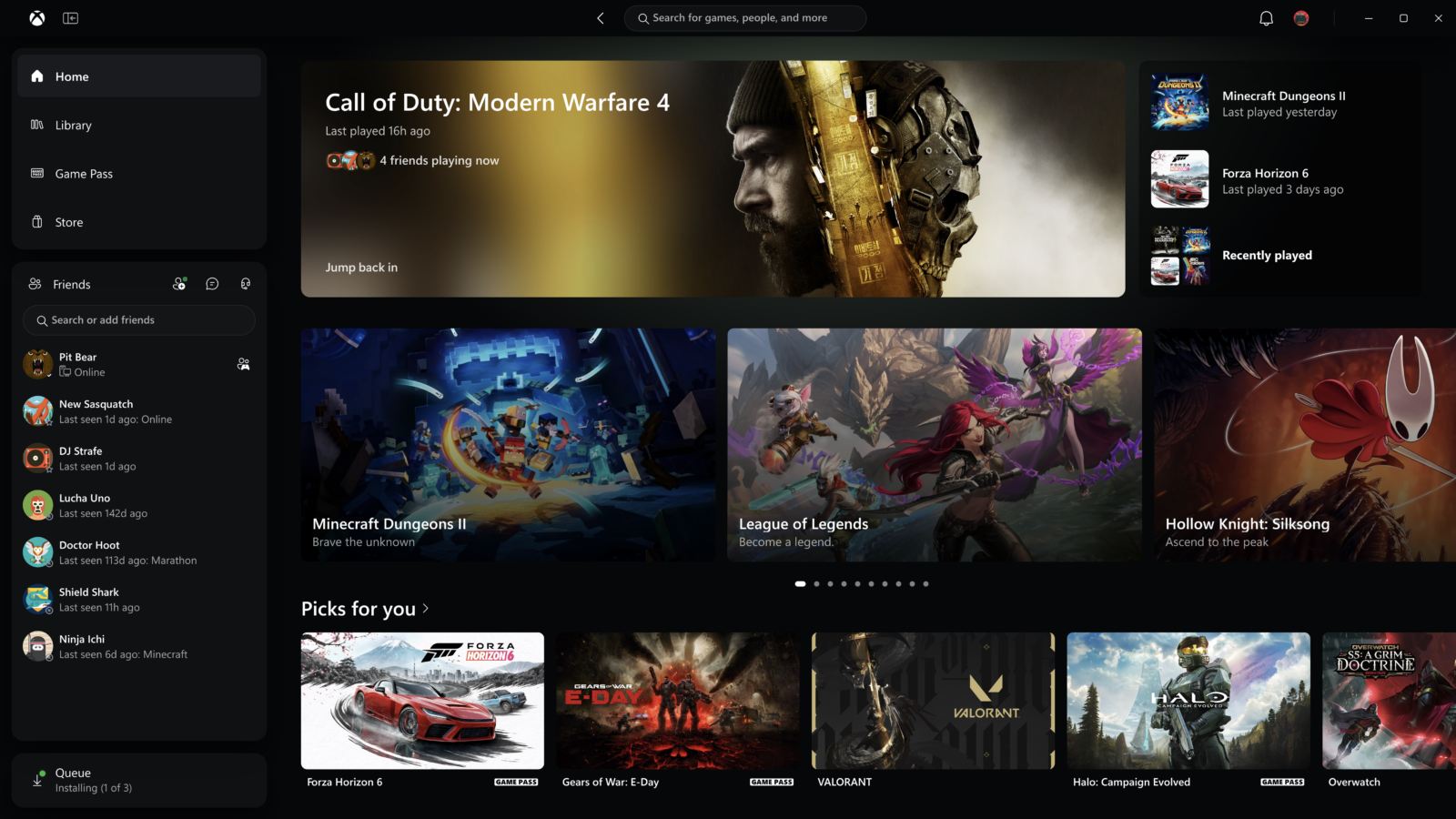
- Microsoft has started rolling out a rebuilt Xbox app for Windows PCs. From November 5, Xbox Insiders can try it first.
- Microsoft says it launches up to 60% faster, the Home, Store and Game Pass pages load up to 50% faster, and in-app windows open up to 65% faster.
- The Library, friends features and search have been reworked. The app is still free, like before.
- A refreshed play.xbox.com and cloud gaming look follow "over the next few weeks", including on TVs and VR headsets.
What Microsoft announced
The news came in an Xbox Wire post on November 5 from Jason Beaumont, Microsoft's vice president of Xbox Experiences. The headline promise is speed. Microsoft says the updated app opens up to 60% faster, loads its main pages up to 50% faster and opens in-app windows up to 65% faster.
Those are Microsoft's own test results. Its footnote says the gains will vary by device, internet connection and system setup, so don't expect the exact figures on every PC.
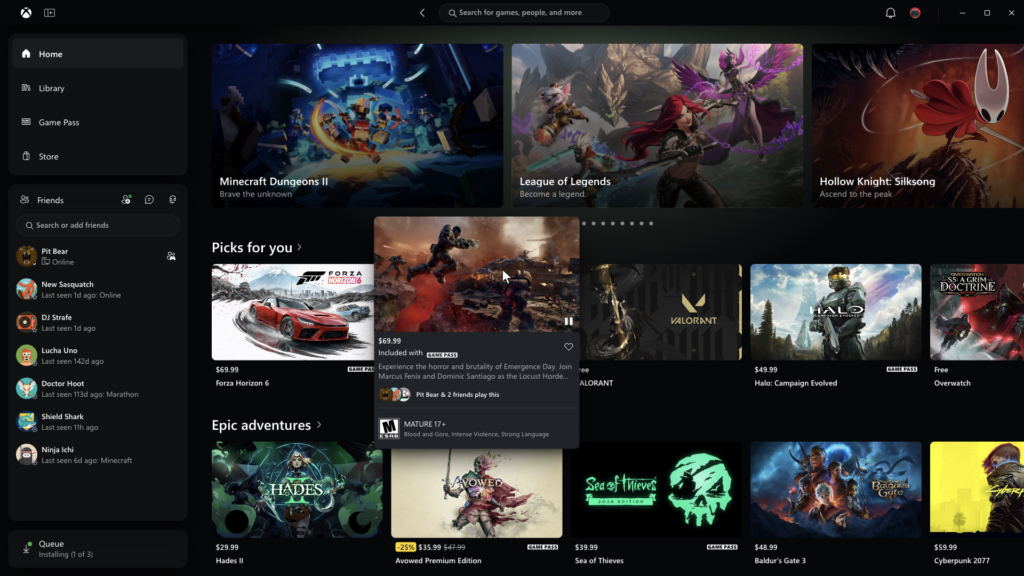
Image: Microsoft / Xbox
What's different in the app
Speed is the main story, but the layout has changed too:
- Library: simpler navigation, new filters and more ways to organise your games.
- Friends: social features now sit in the main navigation. You can see what friends are playing, start a chat or join a party without digging through menus.
- Search: one search box now finds games, including installed titles and add-ons, and people.
- Look: refreshed game cards, Home and Settings pages, and new animations.
If you've used the current app with a big library, the slowness will be familiar. Windows Central's Jez Corden tried an early build in October on a library of more than 1,400 Xbox games and called it "a lot faster than the previous app". He reported that the old split between a game's store page and its library page is gone, with both now sharing one screen. He also said the new interface is codenamed Garrison. Microsoft hasn't used that name itself.
That hands-on also flagged what was missing: not much new functionality yet, and store pages that weren't fully finished. Microsoft's post doesn't list gaps, but it does say "there's more to do" and asks Insiders for feedback.
How to get it now
Right now it's for Xbox Insiders on PC. The Xbox Insider Program is free. You join through the Xbox Insider Hub app on Windows and then opt into the PC app preview. Everyone else gets the new app once Microsoft finishes testing. It hasn't given a date for that.
The Xbox app is free to download and use. You only pay for games or a PC Game Pass subscription, which this update doesn't change. Our Game Pass November wave post covers what's in the library this month.
The web and cloud side
The same post covers Xbox outside the PC app. A refreshed play.xbox.com is rolling out automatically to more players over the next few weeks. It adds:
- A Library tab for cloud games you own or get through Game Pass, with filters for recently played, genre and input type.
- A desktop mode for PCs and bigger screens.
- Dark and light modes, plus five new high-contrast options.
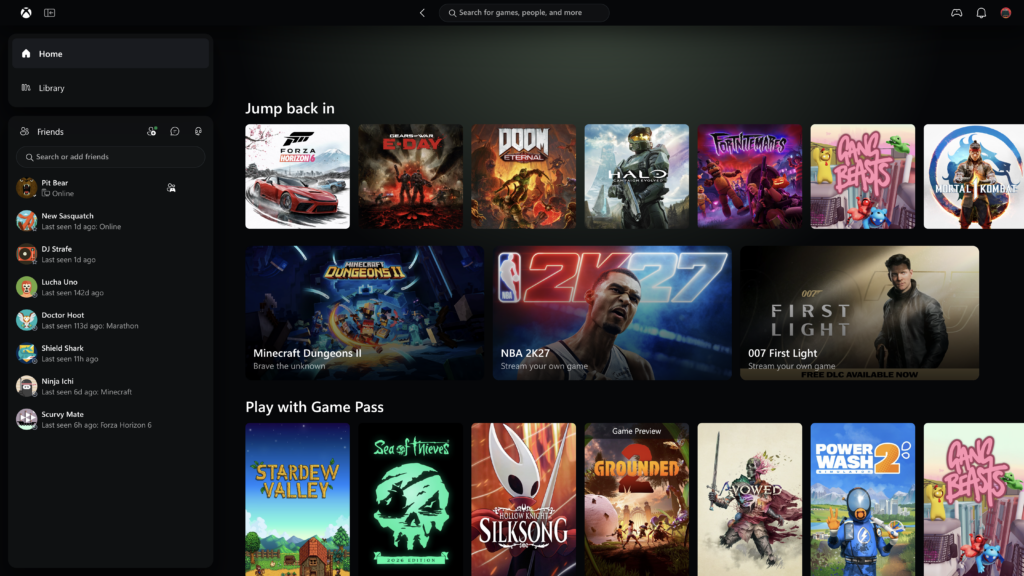
Image: Microsoft / Xbox
The new look is also starting to reach Xbox cloud gaming apps on supported TVs and VR headsets. That matters for people who stream rather than download. Our guide to Xbox Cloud playtime packs explains how cloud play is now sold.
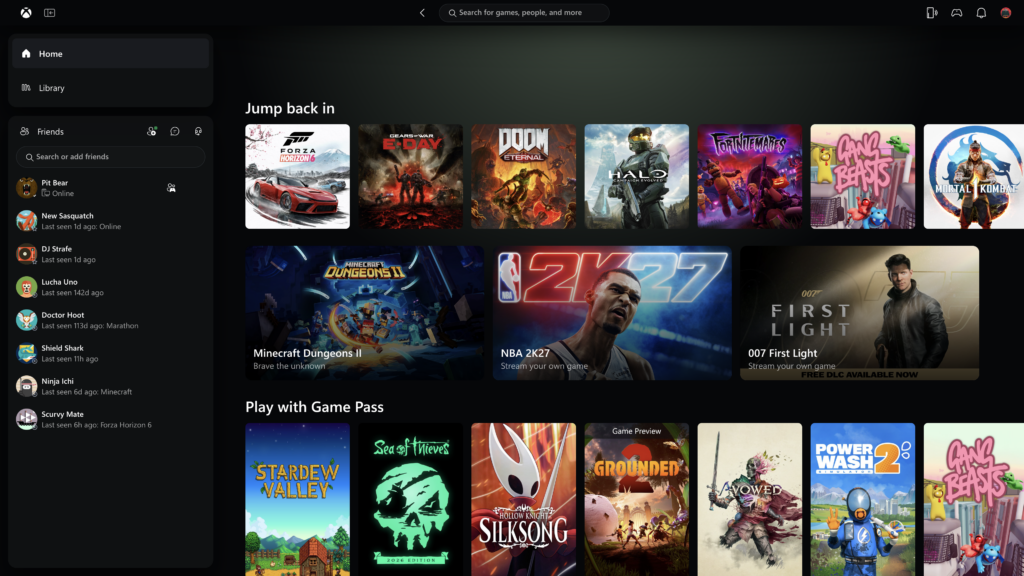
Image: Microsoft / Xbox
Why it matters
On PC, the Xbox app has long been the launcher people put up with rather than choose. Steam opens quickly and finds your games fast. The Xbox app has been slow to start and slow to page through big libraries, even for Game Pass subscribers who use it every day.
A cleaner, faster app helps Microsoft's wider push to make Xbox feel like one platform across consoles, PCs, handhelds like the ROG Xbox Ally and the cloud. On paper, a 60% faster launch is a real fix for a real complaint. Whether it holds up on lower-end laptops is what Insiders will find out first.
If you play on PC, the next thing to watch is the general release date. If you'd rather not wait, joining the Insider program is free.