
The short version
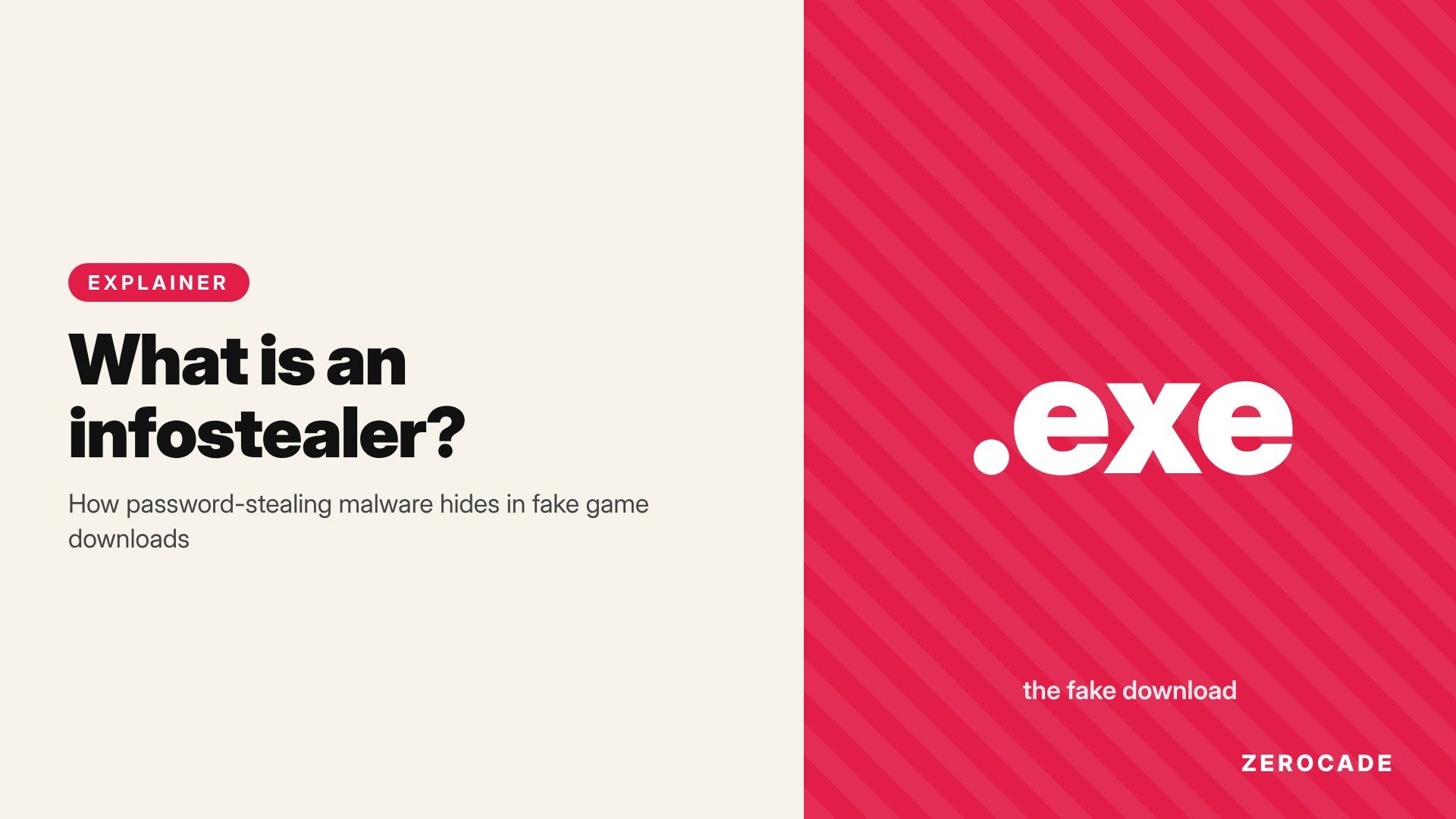
- An infostealer is malware built to do one thing: copy your saved passwords, logins and other personal data off your PC and send them to an attacker.
- On October 29, 2026, Tom's Hardware reported NordVPN research on fake GitHub pages posing as the PS5 projects AnyPS5 and Kyttyps5. They were handing out a zip with what researchers believe is an infostealer.
- The worst part is stolen browser cookies. They let an attacker reuse a login you're already signed in to, which can skip your password and two-factor check entirely.
- The fix is mostly habit: get tools only from the official project page, and be suspicious of any
.exefor a project that doesn't ship one.
The fake PS5 emulator campaign
Emulators and tools for running console games on PC are a magnet for this kind of attack. People want them badly, the real projects are often early and hard to use, and there's no app store checking the downloads. We've covered AnyPS5, which aims to run PS5 games natively on Windows and Linux. Kyttyps5 is a PS5 emulator project.
According to NordVPN's threat intelligence team, attackers set up GitHub repositories posing as both projects. Visitors were pushed to download a zip holding a Windows executable. The researchers say the repos "rapidly rotate", so new copies replace any that get taken down. Nothing in the report says the real projects themselves were hacked. These are lookalikes.
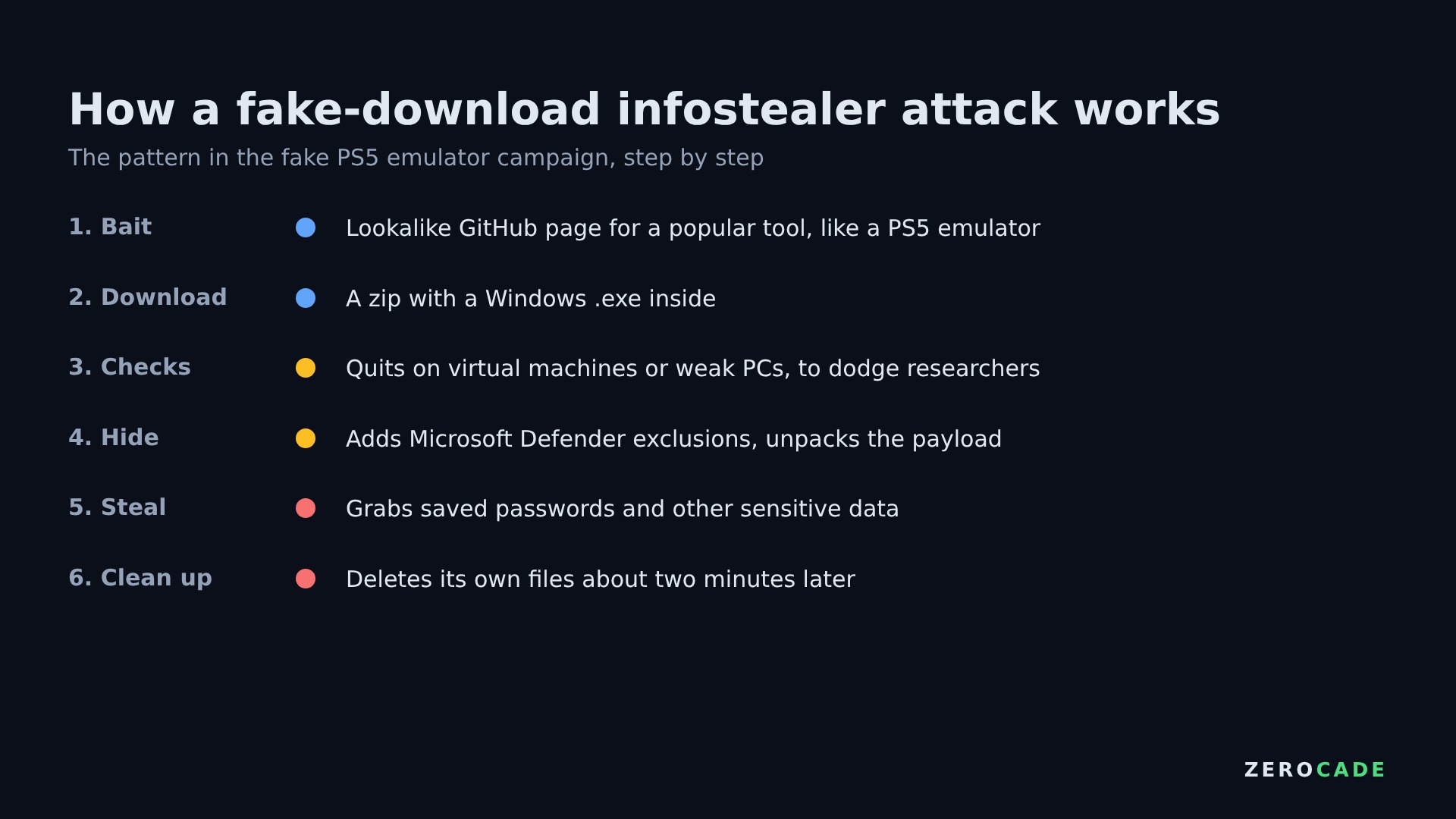 Image: Zerocade
What happens after you run it is a good example of how modern infostealers behave. The loader first checks whether it's being watched. It quits silently on a virtual machine, a cloud server, a PC with less than 2GB of RAM or one without a real graphics card, because those are signs of a security researcher's test setup. On a real gaming PC, it adds exclusions to Microsoft Defender so it won't be scanned, then unpacks and runs the stealer. A cleanup script deletes its files about two minutes later.
What an infostealer actually takes
Infostealers don't lock your files or show ransom notes. They want to stay invisible, grab everything useful in one go and get out. The typical haul looks like this:
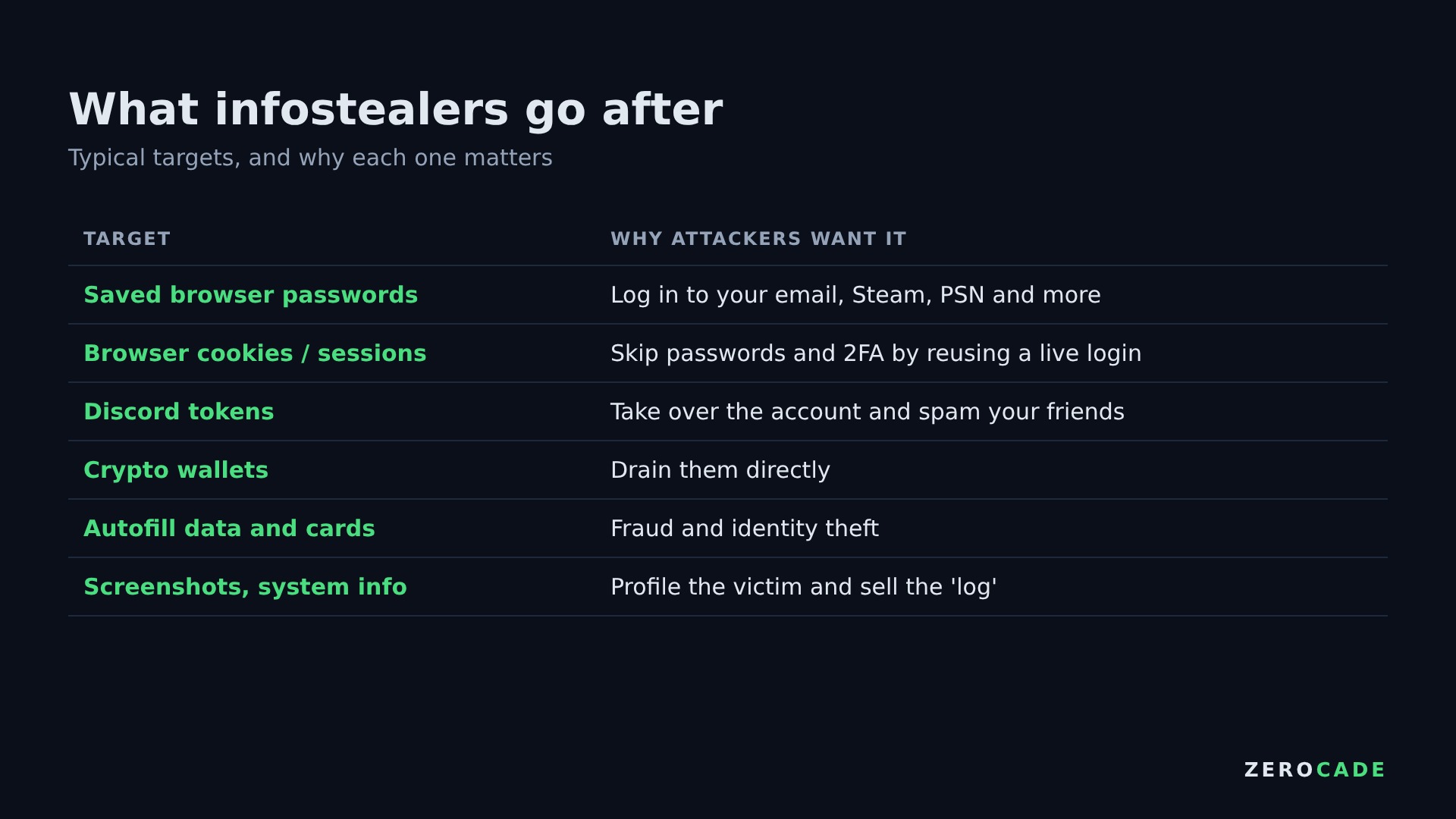 Image: Zerocade
The collected bundle is called a log. Logs are sold in bulk on criminal forums and Telegram channels, so the person who infected you often isn't the one who uses your account. Your Steam inventory, Discord account and email might each end up with a different buyer.
Why two-factor sign-in doesn't always save you
This is the part most people miss. When you sign in to a website and tick "remember me", the site gives your browser a session cookie. It's a token that says "this browser already proved who it is". Every visit after that, the browser shows the cookie instead of asking for your password and 2FA code again.
An infostealer copies that cookie. The attacker loads it into their own browser, and the website treats them as you, already signed in. No password prompt, no 2FA code, no login alert in many cases. That's how Steam accounts get emptied of skins and YouTube channels get hijacked even when their owners had 2FA turned on.
Changing your password and signing out of every session forces those stolen cookies to expire. That's why it's the first thing to do after an infection.
Why there are so many of them
Most infostealers are sold as a service. Criminals rent the malware for a monthly fee, complete with a control panel, updates and support, then spread it however they like. Big names come and go. RedLine was disrupted by an international police operation in October 2024, and Microsoft and Europol took down infrastructure behind Lumma in May 2025. New families keep replacing them, which is why NordVPN describes this one as relatively new.
How to spot a fake download
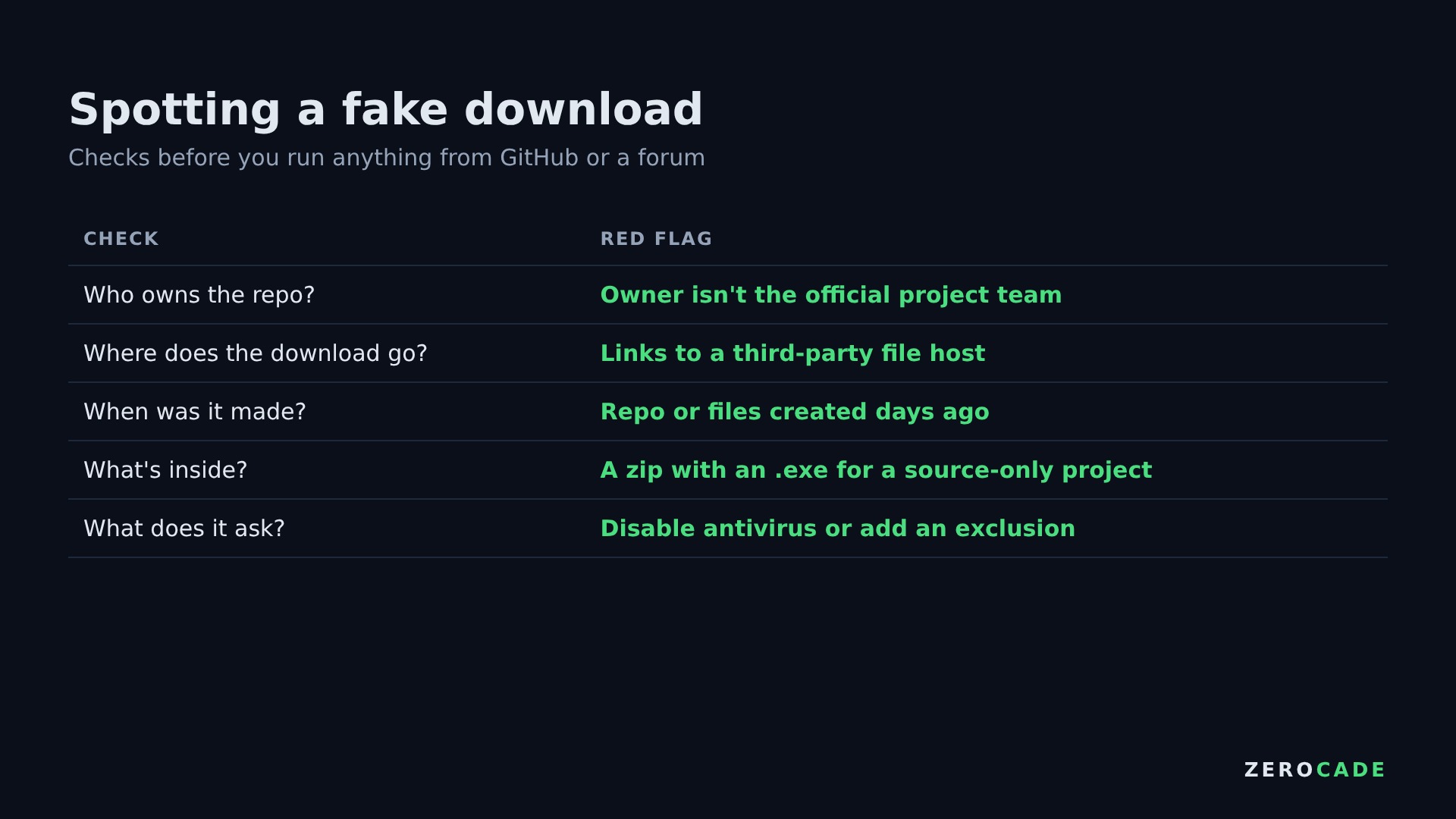 Image: Zerocade
The checks NordVPN recommends are simple. Make sure the GitHub repo belongs to the official project team. Be wary when the download link points to a third-party file host. Look at when the project and files were created. A brand-new repo with a polished release for a tool that's famously unfinished is a bad sign.
If you think you've already run one, disconnect from the internet and run a full antivirus scan. Then change your passwords from a different device, starting with your email, since that's the key to resetting everything else. Use each site's "sign out of all sessions" option to kill any stolen cookies.